
HOW TO TUNE YOUR DESIRED MUSIC INTO 432hz
Download AUDACITY, it is an easy-to-use, multi-track audio editor and recorder and it is free.
The link is here 👇
https://www.audacityteam.org/download/
2. Open the audio editor and import a file you want to convert, go to FILE then IMPORT, click on AUDIO and choose your desired file. 👇 Or simply drag the file on the AUDACITY icon.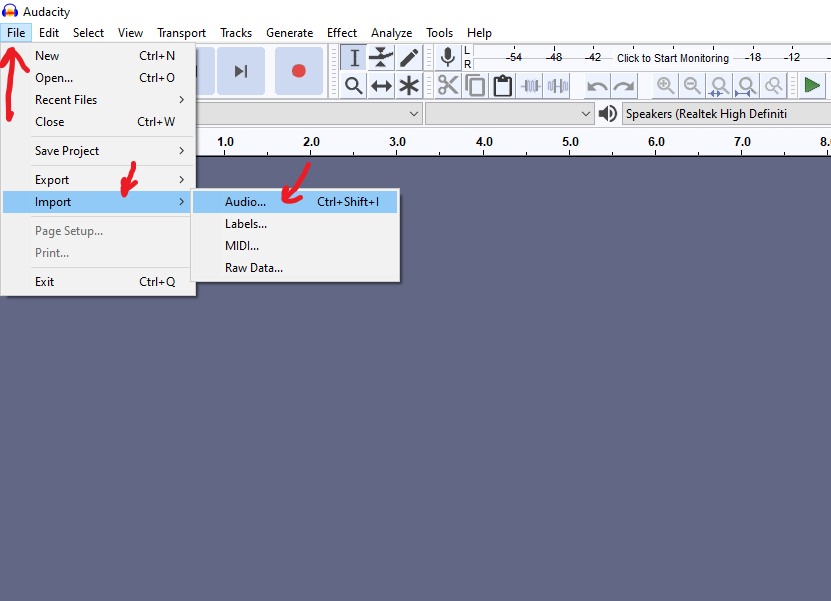
3. When the file is imported, mark the entire file all the way to the end like in the picture. 👇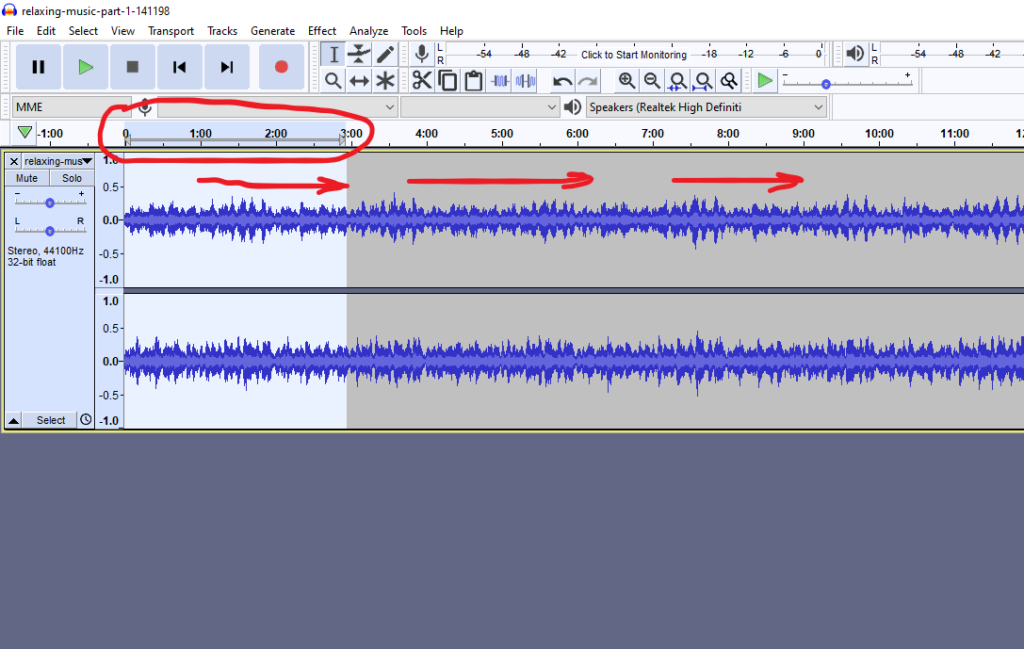
4. Go to EFFECT and click on SLIDING STRETCH.👇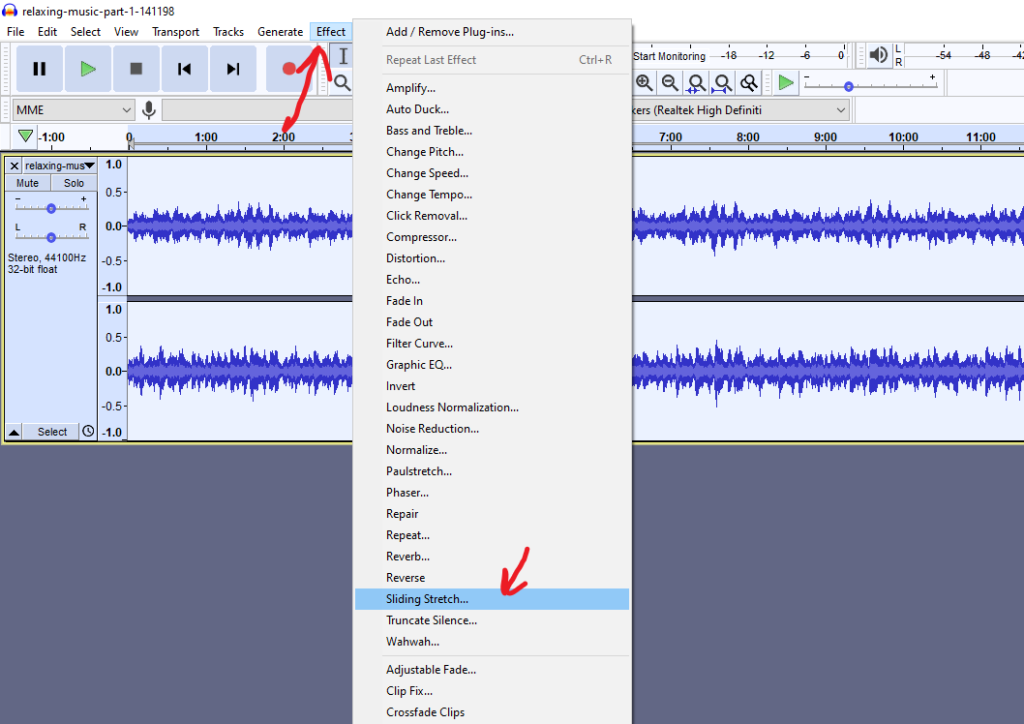
5. Set the parameters like in the picture. 👇 Click OK and wait until the process ends.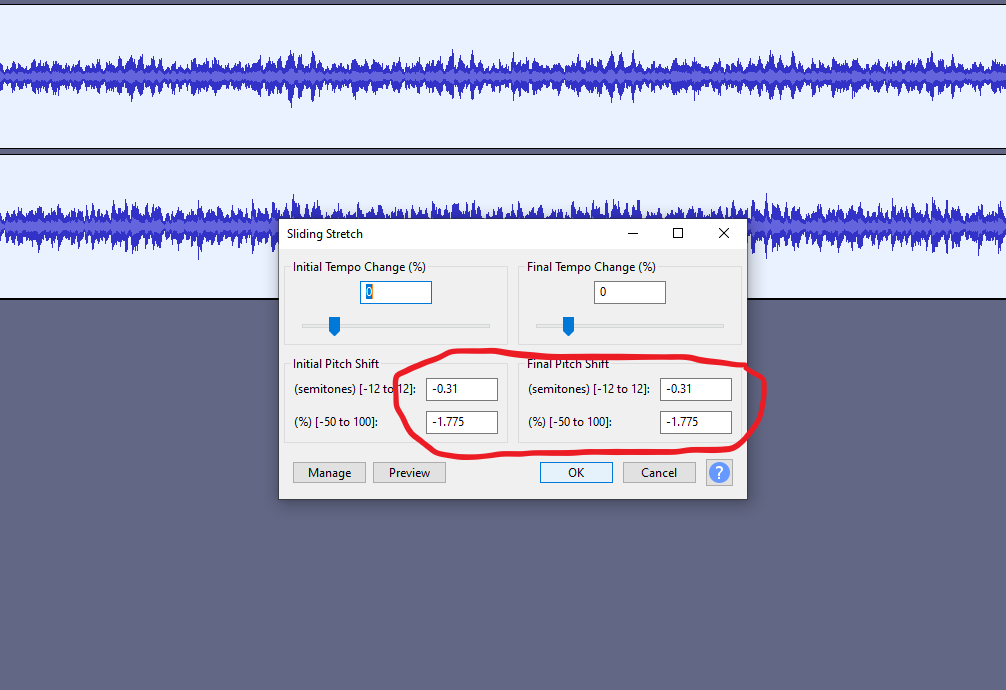
6. When the process is done, you can now export the converted file, make sure that the file is marked. Click on FILE, EXPORT and choose MP3. For better frequency range we recommend to export in WAV file. 👇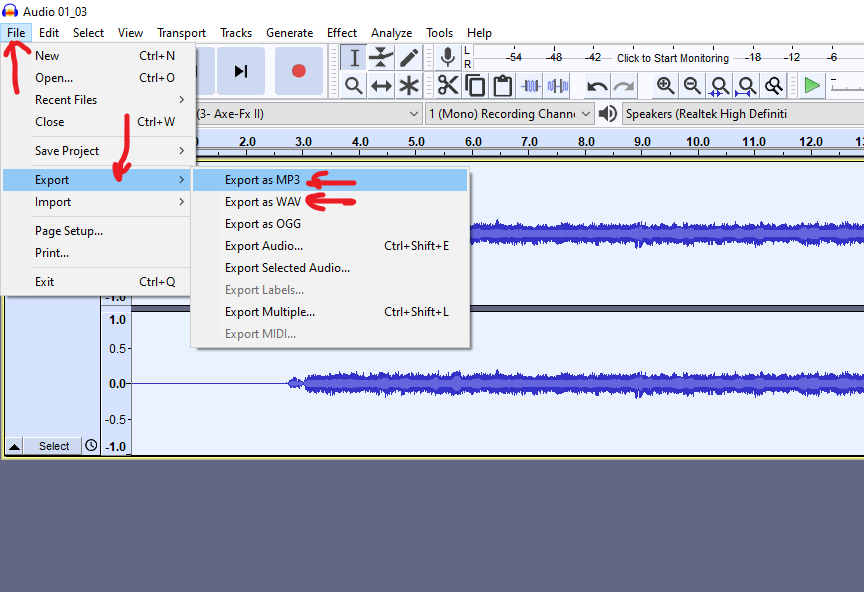
7. ENJOY YOUR FAVOURITE MUSIC
You are also invited to explore other powerful topics on our website.